List of protocols
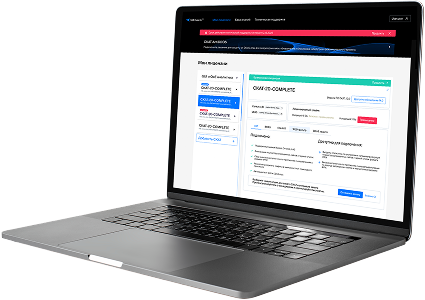
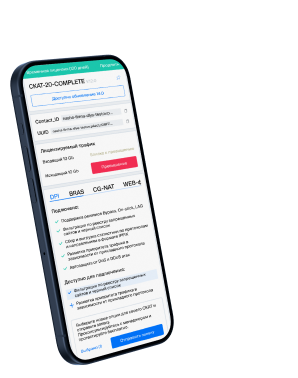
- Built-in protocols — updated along with the SSG software version. Installing a new version requires a DPI reboot, which causes traffic interruption.
If needed, they can be supplemented with up-to-date attributes from the VAS Cloud. This is only necessary for complex protocols, but the option is available for all. - Cloud protocols created by VAS Experts — are periodically updated from the VAS Cloud. This ensures that popular applications remain up-to-date as their behavior changes. Description
- Custom (user-defined) protocols — protocols created by users via the GUI using VAS Cloud tools. These have higher priority than those loaded from the VAS Cloud, and within them, IP:PORT takes precedence over IP and CIDR. It is possible to add a protocol based on IP, SNI, or AS. Guide.
- DSL protocols — protocols described in the DSL language and connected to DPI as a separate module, without reinstalling the software or causing traffic interruption. Unlike custom protocols, a DSL protocol is a finite state machine that analyzes the first N packets of a flow against defined conditions (ports, AS numbers, payload bytes, DSL expressions) and determines whether the flow matches the protocol.
DSL protocols are created by VAS Experts specialists upon client request to Technical Support.
| Protocol | ID | DPI version | Protocol group | Protocol type | Update | Description |
|---|---|---|---|---|---|---|
| copycat | 9093 | 12.2 | Unknown | Built-in | As needed | copycat operates on port 9093 and is used by Copycat for replication or mirroring services in distributed systems. |
| pdl-datastream | 9100 | 12.2 | Unknown | Built-in | As needed | pdl-datastream operates on port 9100 and is used for sending print jobs to network printers via raw TCP/IP. |
| bacula-dir | 9101 | 12.2 | Unknown | Built-in | As needed | Bacula Director service coordinates backup and restore operations in Bacula system. |
| bacula-fd | 9102 | 12.2 | Unknown | Built-in | As needed | Bacula File Daemon handles file-level backup tasks on clients. |
| bacula-sd | 9103 | 12.2 | Unknown | Built-in | As needed | Bacula Storage Daemon manages physical storage devices in backup infrastructure. |
| peerwire | 9104 | 12.2 | Unknown | Built-in | As needed | peerwire operates on port 9104 and supports PeerWire for peer-to-peer data transfer or communication. |
| xadmin | 9105 | 12.2 | Unknown | Built-in | As needed | xadmin operates on port 9105 and is used for administrative access in cross-platform systems or web-based control interfaces. |
| astergate | 9106 | 12.2 | Unknown | Built-in | As needed | AsterGate gateway protocol used in telephony or fax-over-IP routing systems. |
| astergate-disc | 9106 | 12.2 | Unknown | Built-in | As needed | AsterGate discovery protocol for device or endpoint registration. |
| astergatefax | 9107 | 12.2 | Unknown | Built-in | As needed | astergatefax operates on port 9107 and enables fax communication or device management in AsterGate platforms. |
| mxit | 9119 | 12.2 | Unknown | Built-in | As needed | mxit operates on port 9119 and enables messaging and media sharing in the MXit mobile chat platform. |
| grcmp | 9122 | 12.2 | Unknown | Built-in | As needed | grcmp operates on port 9122 and enables multicast control messaging in Grid Resource Communication Protocol environments. |
| grcp | 9123 | 12.2 | Unknown | Built-in | As needed | grcp operates on port 9123 and supports peer-to-peer or control messaging in Grid-based routing or compute frameworks. |
| dddp | 9131 | 12.2 | Unknown | Built-in | As needed | dddp operates on port 9131 and is used by Dynamic Device Discovery Protocol for discovering devices dynamically. |
| apani1 | 9160 | 12.2 | Unknown | Built-in | As needed | APANI VPN Protocol 1 used for secure IP communication. |
| apani2 | 9161 | 12.2 | Unknown | Built-in | As needed | APANI VPN Protocol 2 used in enterprise security solutions. |
| apani3 | 9162 | 12.2 | Unknown | Built-in | As needed | APANI VPN Protocol 3 for secure IP tunneling and enterprise networking. |
| apani4 | 9163 | 12.2 | Unknown | Built-in | As needed | APANI VPN Protocol 4 used in IPsec-compatible encrypted communications. |
| apani5 | 9164 | 12.2 | Unknown | Built-in | As needed | APANI VPN Protocol 5 used for secure enterprise network access. |
| sun-as-jpda | 9191 | 12.2 | Unknown | Built-in | As needed | sun-as-jpda operates on port 9191 and supports Java Platform Debugger Architecture (JPDA) in Sun Application Server environments. |
Was this information helpful?