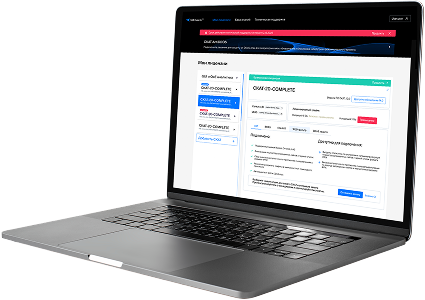
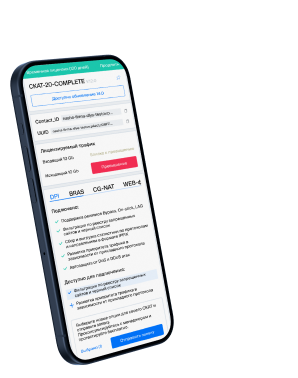
List of protocols
- Built-in protocols — updated along with the SSG software version. Installing a new version requires a DPI reboot, which causes traffic interruption.
If needed, they can be supplemented with up-to-date attributes from the VAS Cloud. This is only necessary for complex protocols, but the option is available for all. - Cloud protocols created by VAS Experts — are periodically updated from the VAS Cloud. This ensures that popular applications remain up-to-date as their behavior changes. Description
- Custom (user-defined) protocols — protocols created by users via the GUI using VAS Cloud tools. These have higher priority than those loaded from the VAS Cloud, and within them, IP:PORT takes precedence over IP and CIDR. It is possible to add a protocol based on IP, SNI, or AS. Guide.
- DSL protocols — protocols described in the DSL language and connected to DPI as a separate module, without reinstalling the software or causing traffic interruption. Unlike custom protocols, a DSL protocol is a finite state machine that analyzes the first N packets of a flow against defined conditions (ports, AS numbers, payload bytes, DSL expressions) and determines whether the flow matches the protocol.
DSL protocols are created by VAS Experts specialists upon client request to Technical Support.
| Protocol | ID | DPI version | Protocol group | Protocol type | Update | Description |
|---|---|---|---|---|---|---|
| clever-tcpip | 6688 | 12.2 | Unknown | Built-in | As needed | CleverView TCP/IP monitoring tool protocol used for mainframe and network diagnostics. |
| tsa | 6689 | 12.2 | Unknown | Built-in | As needed | tsa operates on port 6689 and supports Timestamp Authority services, enabling digital signature validation and secure logging. |
| babel | 6696 | 12.2 | Unknown | Built-in | As needed | babel operates on port 6696 and is used for routing updates and neighbor communication in the Babel routing protocol. |
| kti-icad-srvr | 6701 | 12.2 | Unknown | Built-in | As needed | kti-icad-srvr operates on port 6701 and supports ICAD server communication in KTI imaging or device systems. |
| e-design-net | 6702 | 12.2 | Unknown | Built-in | As needed | e-design-net operates on port 6702 and facilitates E-Design Network for design application networking. |
| e-design-web | 6703 | 12.2 | Network services | Built-in | As needed | A protocol for E-Design Web, facilitating networked design collaboration. |
| frc-hp | 6704 | 12.2 | Unknown | Built-in | As needed | frc-hp operates on port 6704 and handles high-priority messaging in FRC (Field Reconfigurable Computing) systems. |
| frc-mp | 6705 | 12.2 | Unknown | Built-in | As needed | frc-mp operates on port 6705 and manages medium-priority communications in Field Reconfigurable Computing platforms. |
| frc-lp | 6706 | 12.2 | Unknown | Built-in | As needed | frc-lp operates on port 6706 and handles low-priority data or control traffic in FRC infrastructure. |
| ibprotocol | 6714 | 12.2 | Unknown | Built-in | As needed | ibprotocol operates on port 6714 and supports InfiniBand Protocol communication for high-speed data transfer in compute clusters. |
| fibotrader-com | 6715 | 12.2 | Unknown | Built-in | As needed | fibotrader-com operates on port 6715 and facilitates Fibotrader Communication for financial trading system connectivity. |
| bmc-perf-agent | 6767 | 12.2 | Unknown | Built-in | As needed | BMC Performance Agent collects system performance data for analysis. |
| bmc-perf-mgrd | 6768 | 12.2 | Unknown | Built-in | As needed | BMC Performance Manager Daemon for coordinating performance data collection. |
| adi-gxp-srvprt | 6769 | 12.2 | Unknown | Built-in | As needed | adi-gxp-srvprt operates on port 6769 and supports service communication in ADI GXP (General eXchange Protocol) environments. |
| plysrv-http | 6770 | 12.2 | Web browsing | Built-in | As needed | PolyServe http, registered 2005-08 |
| plysrv-https | 6771 | 12.2 | Web browsing | Built-in | As needed | PolyServe https, registered 2005-08 |
| bfd-lag | 6784 | 12.2 | Unknown | Built-in | As needed | Bidirectional Forwarding Detection for Link Aggregation Groups, enhances failover speed. |
| dgpf-exchg | 6785 | 12.2 | Unknown | Built-in | As needed | dgpf-exchg operates on port 6785 and facilitates DGPF file exchange in protected or isolated networks. |
| smc-jmx | 6786 | 12.2 | Unknown | Built-in | As needed | smc-jmx operates on port 6786 and supports SMC JMX for Java Management Extensions in SMC systems. |
| smc-admin | 6787 | 12.2 | Unknown | Built-in | As needed | smc-admin operates on port 6787 and facilitates SMC Admin for administrative control in SMC environments. |
Was this information helpful?