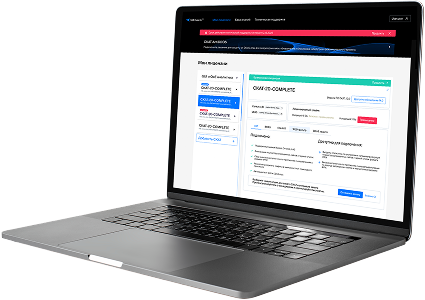
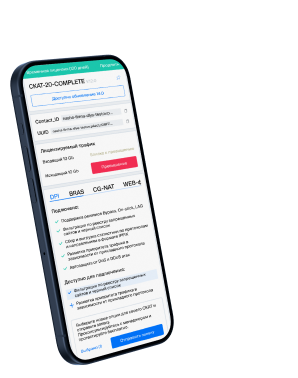
List of protocols
- Built-in protocols — updated along with the SSG software version. Installing a new version requires a DPI reboot, which causes traffic interruption.
If needed, they can be supplemented with up-to-date attributes from the VAS Cloud. This is only necessary for complex protocols, but the option is available for all. - Cloud protocols created by VAS Experts — are periodically updated from the VAS Cloud. This ensures that popular applications remain up-to-date as their behavior changes. Description
- Custom (user-defined) protocols — protocols created by users via the GUI using VAS Cloud tools. These have higher priority than those loaded from the VAS Cloud, and within them, IP:PORT takes precedence over IP and CIDR. It is possible to add a protocol based on IP, SNI, or AS. Guide.
- DSL protocols — protocols described in the DSL language and connected to DPI as a separate module, without reinstalling the software or causing traffic interruption. Unlike custom protocols, a DSL protocol is a finite state machine that analyzes the first N packets of a flow against defined conditions (ports, AS numbers, payload bytes, DSL expressions) and determines whether the flow matches the protocol.
DSL protocols are created by VAS Experts specialists upon client request to Technical Support.
| Protocol | ID | DPI version | Protocol group | Protocol type | Update | Description |
|---|---|---|---|---|---|---|
| synchronet-db | 6100 | 12.2 | Data bases | Built-in | As needed | Synchronet-DB is a backend protocol for BBS systems using encrypted user and message storage. |
| synchronet-rtc | 6101 | 12.2 | Unknown | Built-in | As needed | synchronet-rtc operates on port 6101 and manages real-time communication features in Synchronet BBS platforms. |
| synchronet-upd | 6102 | 12.2 | Unknown | Built-in | As needed | synchronet-upd operates on port 6102 and enables update communication for Synchronet BBS systems, supporting version checks and software maintenance. |
| rets | 6103 | 12.2 | Unknown | Built-in | As needed | rets operates on port 6103 and supports data exchange in Real Estate Transaction Standard systems. |
| dbdb | 6104 | 12.2 | Data bases | Built-in | As needed | DBDB is an internal data bus protocol managing secure routing of SQL tasks and metadata. |
| primaserver | 6105 | 12.2 | Unknown | Built-in | As needed | primaserver operates on port 6105 and facilitates PrimaServer for primary server operations in networked systems. |
| mpsserver | 6106 | 12.2 | Unknown | Built-in | As needed | mpsserver operates on port 6106 and enables Media Processing Server control or data handling. |
| etc-control | 6107 | 12.2 | Unknown | Built-in | As needed | etc-control operates on port 6107 and supports ETC Control for environmental or equipment control systems. |
| sercomm-scadmin | 6108 | 12.2 | Unknown | Built-in | As needed | sercomm-scadmin operates on port 6108 and facilitates Sercomm SCAdmin for administrative control of Sercomm devices. |
| globecast-id | 6109 | 12.2 | Unknown | Built-in | As needed | globecast-id operates on port 6109 and enables authentication and identification for Globecast media distribution platforms. |
| softcm | 6110 | 12.2 | Unknown | Built-in | As needed | softcm operates on port 6110 and is used for communication with soft controller modules in software-defined industrial systems. |
| spc | 6111 | 12.2 | Unknown | Built-in | As needed | spc operates on port 6111 and handles control communication in secure or specialized protocol controllers. |
| dtspcd | 6112 | 12.2 | Unknown | Built-in | As needed | dtspcd operates on port 6112 and supports Distributed Time Service Provider Client Daemon for time synchronization. |
| dayliteserver | 6113 | 12.2 | Unknown | Built-in | As needed | dayliteserver operates on port 6113 and supports Daylite Server for managing Daylite CRM server operations. |
| wrspice | 6114 | 12.2 | Unknown | Built-in | As needed | wrspice operates on port 6114 and supports remote simulation control for the WRspice circuit simulation tool. |
| xic | 6115 | 12.2 | Unknown | Built-in | As needed | xic operates on port 6115 and supports data communication in XIC software used for electronic design automation. |
| xtlserv | 6116 | 12.2 | Unknown | Built-in | As needed | xtlserv operates on port 6116 and provides translation or transport layer services in extended communication frameworks. |
| daylitetouch | 6117 | 12.2 | Unknown | Built-in | As needed | daylitetouch operates on port 6117 and is used by Daylite Touch for syncing Daylite CRM data on mobile devices. |
| tipc | 6118 | 12.2 | Unknown | Built-in | As needed | tipc operates on port 6118 and is used by the Transparent Inter-Process Communication protocol for fast and reliable messaging between nodes in clustered systems. |
| spdy | 6121 | 12.2 | Unknown | Built-in | As needed | spdy operates on port 6121 and is a deprecated Google protocol designed to speed up web traffic by multiplexing streams. |
Was this information helpful?