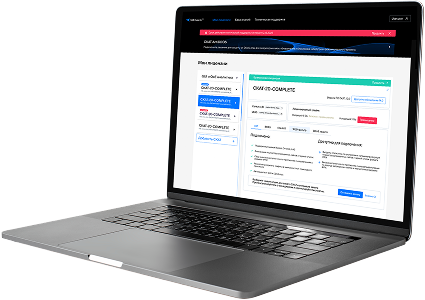
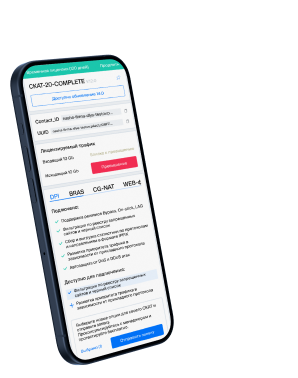
List of protocols
- Built-in protocols — updated along with the SSG software version. Installing a new version requires a DPI reboot, which causes traffic interruption.
If needed, they can be supplemented with up-to-date attributes from the VAS Cloud. This is only necessary for complex protocols, but the option is available for all. - Cloud protocols created by VAS Experts — are periodically updated from the VAS Cloud. This ensures that popular applications remain up-to-date as their behavior changes. Description
- Custom (user-defined) protocols — protocols created by users via the GUI using VAS Cloud tools. These have higher priority than those loaded from the VAS Cloud, and within them, IP:PORT takes precedence over IP and CIDR. It is possible to add a protocol based on IP, SNI, or AS. Guide.
- DSL protocols — protocols described in the DSL language and connected to DPI as a separate module, without reinstalling the software or causing traffic interruption. Unlike custom protocols, a DSL protocol is a finite state machine that analyzes the first N packets of a flow against defined conditions (ports, AS numbers, payload bytes, DSL expressions) and determines whether the flow matches the protocol.
DSL protocols are created by VAS Experts specialists upon client request to Technical Support.
| Protocol | ID | DPI version | Protocol group | Protocol type | Update | Description |
|---|---|---|---|---|---|---|
| continuus | 5412 | 12.2 | Network services | Built-in | As needed | A protocol for Continuus, supporting Continuus networked software management. |
| wwiotalk | 5413 | 12.2 | Network services | Built-in | As needed | WWIOTalk protocol manages real-time messaging and telemetry between wireless IoT endpoints. |
| statusd | 5414 | 12.2 | Network services | Built-in | As needed | Status Daemon protocol monitors local processes and exposes results via socket. |
| ns-server | 5415 | 12.2 | Application servers | Built-in | As needed | NS-Server is used for network simulation or naming services in distributed systems. |
| sns-gateway | 5416 | 12.2 | Network services | Built-in | As needed | SNS Gateway protocol bridges sensor telemetry with cloud security platforms. |
| sns-agent | 5417 | 12.2 | Network services | Built-in | As needed | SNS Agent protocol handles event sync in security notification systems. |
| mcntp | 5418 | 12.2 | Data transfer | Built-in | As needed | MCNTP (Multicast NTP) synchronizes time across distributed systems using secure multicast. |
| dj-ice | 5419 | 12.2 | Network services | Built-in | As needed | DJ ICE protocol used in broadcast and sound systems to control multichannel playback. |
| cylink-c | 5420 | 12.2 | Network services | Built-in | As needed | A protocol for Cylink-C, a cryptographic or secure comms protocol. |
| netsupport2 | 5421 | 12.2 | Network services | Built-in | As needed | NetSupport2 transmits encrypted remote control and chat telemetry. |
| salient-mux | 5422 | 12.2 | Network services | Built-in | As needed | Salient Mux protocol syncs CCTV video streams and control signals. |
| virtualuser | 5423 | 12.2 | Network services | Built-in | As needed | Tracks and syncs session state of virtual or bot-driven users in test or sim environments. |
| beyond-remote | 5424 | 12.2 | Data transfer | Built-in | As needed | Beyond-Remote protocol enables remote access and secure desktop control across enterprise networks. |
| br-channel | 5425 | 12.2 | Remote control | Built-in | As needed | Beyond Remote Command Channel, registered 2005-08 |
| devbasic | 5426 | 12.2 | Network services | Built-in | As needed | A protocol for DevBasic, providing basic device communication in networks. |
| sco-peer-tta | 5427 | 12.2 | Network services | Built-in | As needed | SCO Peer Terminal Telemetry Agent manages thin-client sessions and audit data. |
| telaconsole | 5428 | 12.2 | Tunneling, secure, ssl, pki | Built-in | As needed | TelaConsole is a secure remote console protocol used for accessing and managing virtual or physical servers. |
| base | 5429 | 12.2 | Data transfer | Built-in | As needed | BASE (Basic Analysis and Security Engine) protocol supports forensic DB analysis in security monitoring. |
| radec-corp | 5430 | 12.2 | Network services | Built-in | As needed | RADEC corporate telemetry channel for industrial process or sensor integration. |
| park-agent | 5431 | 12.2 | Network services | Built-in | As needed | Parking management telemetry protocol for space sensors and payment terminals. |
Was this information helpful?